How to Configure Jest in Angular 18

When we write tests in Angular Jasmine and Karma are the default for testing library and runner, but the Angular team was working on bringing Jest to Angular.
Today, we're going to experiment with the Jest Builder for Jest (Experimental) in Angular 17. Let's get started.
Build Example App
First, we will create a sample application using Angular 17. In my situation, I have Angular 15 installed globally since that is the version I utilize for my work.
The simplest method to create a project with Angular 17, without installing it, involves executing it using npx.
//create a project
npx -p @angular/cli ng new lab

//generate component and service
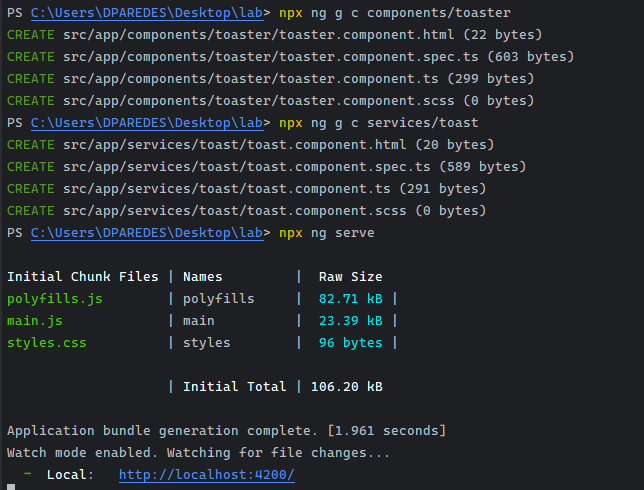
npx ng g c components/toaster
npx ng g s services/toaster
To run the application using npx, execute the following command: npx ng serve.
To run tests in an Angular 17 project without installing it, you can use the npx command along with Jasmine and Karma. To accomplish this, simply execute the following command: npx ng test.
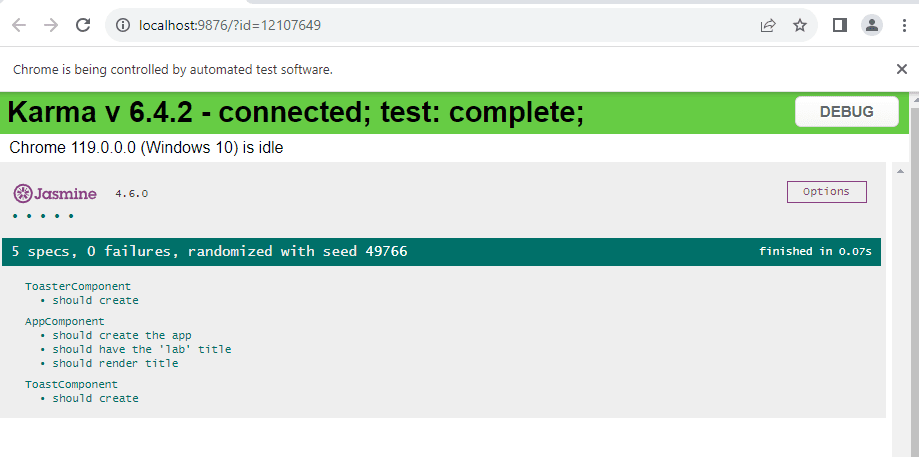
Our goal is to use the Jest Builder, but before we do that, we must remove Karma and Jasmine from our project.
Remove Jasmine and Karma
First, we are going to remove Jasmine by executing the following command.
npm remove karma karma-chrome-launcher karma-jasmine karma-jasmine-html-reporterMoving to Jest Builder
Next, install Jest, its types, and the builder in the project.
npm i -D jest @types/jest @angular-builders/jestNext, update the test section in the angular.json file to utilize the Jest builder.
"test": {
          "builder": "@angular-builders/jest:run",
          "options": {
            "tsConfig": "tsconfig.spec.json",
            "polyfills": ["zone.js", "zone.js/testing"]
          }
        }
Save the changes and run the command ng test again, using Jest as the default test runner for Angular (experimental).
We received the warning because it is "EXPERIMENTAL." If you read this, you'll see that the experimental version takes more time than Jasmine (but, of course, it's not optimized yet!).
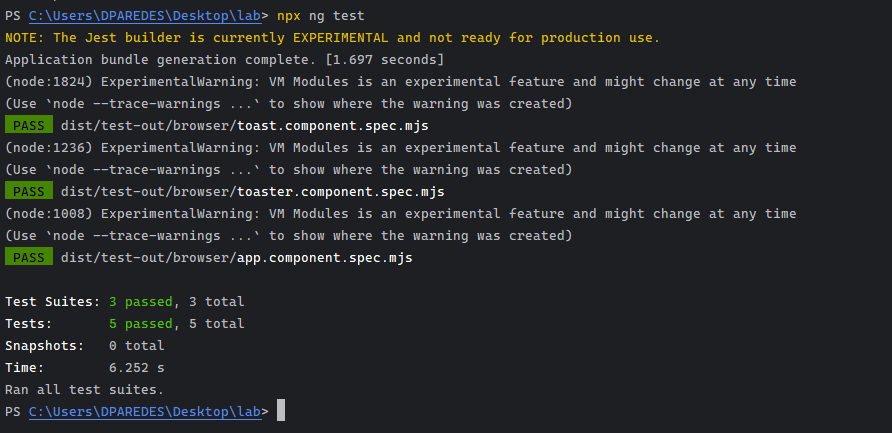
It looks great! Of course, we need to wait to use it, but it's nice progress for Angular. Currently, if you want to use Jest with Angular, you must use the schematic: https://github.com/briebug/jest-schematic
ng add @briebug/jest-schematicYou can continue to follow the progress of angular-jest builder or check my example project
Enjoy!
Modern frontend development — Angular, React, TypeScript, accessibility, and performance.
Frequently Asked Questions
How do I replace Karma and Jasmine with Jest in an Angular 18 project?
To replace Karma and Jasmine with Jest in Angular 18, first remove the existing packages by running npm remove karma karma-chrome-launcher karma-jasmine karma-jasmine-html-reporter, then install Jest and its builder with npm i -D jest @types/jest @angular-builders/jest, and finally update the test section in angular.json to point to the Jest builder.
What npm packages do I need to install to use Jest in Angular?
You need to install three packages as dev dependencies: jest for the test runner itself, @types/jest to get TypeScript type definitions for Jest APIs, and @angular-builders/jest which provides the Angular CLI builder that integrates Jest into the standard ng test workflow.
How do I update angular.json to use Jest instead of Karma?
In angular.json, find the test section under your project's architect configuration and change the builder property from the default Karma builder to @angular-builders/jest:run. You can also provide additional Jest options in the options field of that same section.
Can I use npx to create an Angular project without installing the CLI globally?
Yes, you can use npx -p @angular/cli ng new your-project-name to create a new Angular project using the latest CLI version without having it installed globally. This is useful when you have an older version installed globally for a work project and need to scaffold a new app with a different version.
Related Articles
How to Prevent UI Regressions with Jest Snapshot Testing in Angular
Learn how to catch visual and DOM layout regressions in Angular using Jest snapshot testing, when to use snapshots vs assertions, and best practices to avoid brittle tests.
How and When to Use Mocks vs Spies in Unit Testing (Vitest, Jest, and Jasmine)
Learn the practical differences between Mocks and Spies in unit testing. Explore practical examples using modern Vitest (vi.fn, vi.spyOn), Jest, and Jasmine in Angular.
How To Migrate from Jasmine to Jest and Testing Library in Angular
Angular, by default, comes with Jasmine; it is a great testing framework. I spent one year and a half running and writing tests with Jasmine, it works, but the market is moving to Jest and Testing library. Don't get scared because Jest is more straig...
How To Test Components In Angular Using TestBed
Learn how to unit test Angular components with TestBed, handle child components and service mocks, and switch from Karma/Jasmine to modern Vitest with Standalone and Signals.
Share this article
If you found this guide helpful, consider sharing it with your team or fellow developers.
Real Software. Real Lessons.
I share the lessons I learned the hard way, so you can either avoid them or be ready when they happen.
Join 13,800+ developers and readers.
No spam ever. Unsubscribe at any time.