---
title: "Simplify Routing Parameters in Angular Components"
date: "2023-12-24"
slug: "input-binding-and-router-withcomponentinputbinding-in-angular"
author: "Dany Paredes"
canonical: "https://danywalls.com/input-binding-and-router-withcomponentinputbinding-in-angular"
description: "In my previous article on building a sample store, I explored the animation feature in Angular 17. At the same time, I also developed an extensive product page feature. The product detail page needs to extract the product ID from the URL using the ro..."
---
In my previous article on building a sample store, I explored [the animation feature in Angular 17](https://www.danywalls.com/add-router-animation-transitions-for-navigation-in-angular-17). At the same time, I also developed an extensive product page feature.
The product detail page needs to extract the product ID from the URL using the router and then use this ID to fetch product information from another API, similar to the following:
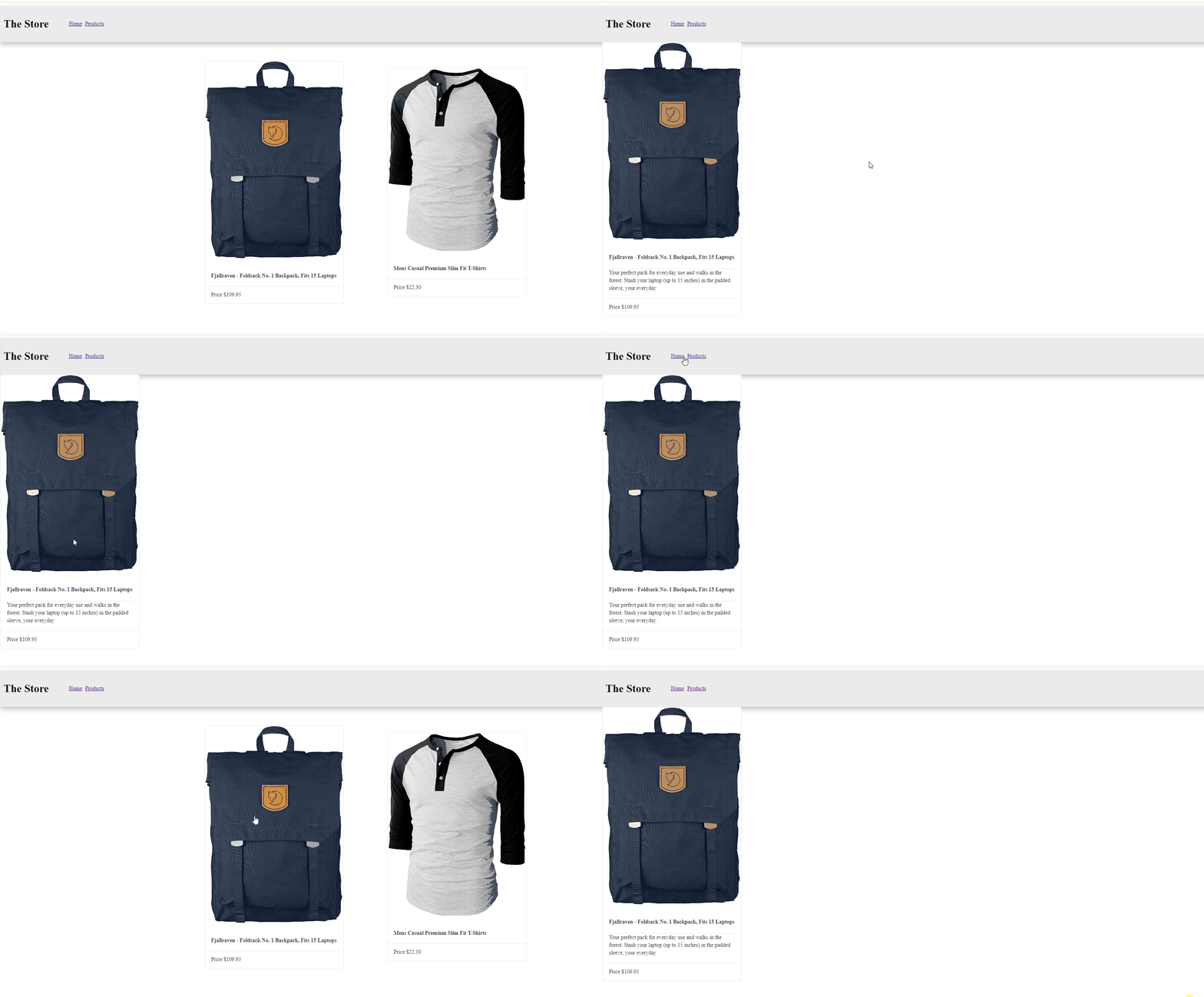
To achieve this, I need to configure the `ActivatedRoute` in conjunction with the `RouterLink`. Let's get started.
## Configure Route and RouterLink
Create your component product-detail using the angular CLI:
```bash
ng g c pages/product-detail
```
In my app.routes.ts, I added the new path using `:id` to represent the parameter and the `loadComponent`.
```typescript
{
path:'products/:id',
loadComponent: () =>
import('./pages/product-detail/product-detail.component').then(c => c.ProductDetailComponent)
}
```
In my code, I added the `routerLink` directive to direct users to the product details page, incorporating both the URL and the parameter.
```xml
[routerLink]="['/products/', product.id]
```
In my template, it appears as follows:
```xml
@for (product of products();track product.id) {
{{ product.title }}
Price {{ product.price | currency }}
} @empty {
No products! 😌
}
```
## Read The Router Parameter
In the details page, we need to inject both `ActivatedRoute` and `HttpClient`. In my case, I make the request within the same component.
Using `route.paraMap` with combination of `switchMap`, obtain the parameter and make the request to return the product. To skip the subscription or use the pipe async, I use the `toSignal`, and convert the observable from `httpClient` to a signal, which can then be used in the template.
> To keep this article concise, the request is made within the same component, although using an external service is recommended.
```typescript
route = inject(ActivatedRoute)
http = inject(HttpClient);
$product = toSignal(this.route.paramMap.pipe(
switchMap(params => {
const id = params.get('id');
return this.http.get(`https://fakestoreapi.com/products/${id}`)
})
));
```
In the template, we read the signal by using `()` to gain access to the returned product.
```xml
@if ($product()) {
}
```
Save, and everything should work! But is there a better or more concise way to do it? Since Angular 16.1, we can use the bind Input property that matches with the parameter. Let's give it a try!
## Using Input with Router Parameter.
First we must to provide `withComponentInputBinding()` function into the router config. it enable to bind the input that match with the route parameter, in our case is `id` .
```typescript
export const appConfig: ApplicationConfig = {
providers: [
provideRouter(routes, withComponentInputBinding()),
provideHttpClient()
]
};
```
In the `product-details`, add the `id` property with the input decorator, and then use the `id` to make the request. To ensure the `id` is set, print it in the `constructor`.
```typescript
export class ProductDetailComponent {
#http = inject(HttpClient);
@Input() id!: string;
$product = toSignal(this.#http.get(`https://fakestoreapi.com/products/${this.id}`));
constructor() {
console.log(this.id);
}
```
The id is `undefined`, which causes the product to be requested with an undefined value, because the id has not yet been set in the component. To access it, let's try reading it in the OnInit lifecycle.

Indeed, it received the id, but the `toSignal()` function needs to run within the `injectionContext()`. If you've read my previous article on [Understanding InjectionContext](https://www.danywalls.com/understanding-injectioncontext-and-signal-effects), you'll recognize that we're facing a similar situation.

To resolve this issue, we need to inject the `Injector` and impor t`runInInjectionContext`.
```typescript
#http = inject(HttpClient);
#injector = inject(Injector);
```
To make the code cleaner, move the request to a new function called `getProductDetail`.
```typescript
private getProductDetail() {
runInInjectionContext(this.#injector, () => {
this.$product = toSignal(
this.#http.get(`https://fakestoreapi.com/products/${this.id}`),
);
});
}
```
The final code will look like this:
```typescript
export class ProductDetailComponent implements OnInit {
@Input() id!: string;
$product!: Signal;
#http = inject(HttpClient);
#injector = inject(Injector);
ngOnInit(): void {
this.getProductDetail();
}
private getProductDetail() {
runInInjectionContext(this.#injector, () => {
this.$product = toSignal(
this.#http.get(`https://fakestoreapi.com/products/${this.id}`),
);
});
}
}
```
Save the changes, and everything should work! Yay!!!
## Recap
The feature `withComponentInputBinding` helps us avoid subscriptions and inject the route and get the values from route easy. But of course if the process the data is bit complex, I highly recommend move the logic to a service.
I recommend checkout the official documentation
* [https://angular.io/api/router/withComponentInputBinding](https://angular.io/api/router/withComponentInputBinding)
* [https://www.danywalls.com/understanding-injectioncontext-and-signal-effects](https://www.danywalls.com/understanding-injectioncontext-and-signal-effects)
* Source Code: [https://github.com/danywalls/moduless-with-kendo/tree/feature/router\_binding](https://github.com/danywalls/moduless-with-kendo/tree/feature/router_binding)
Happy Coding 😁